
Appearance
Card detection and safe ejection
Why CFexpress cards can be hard to eject
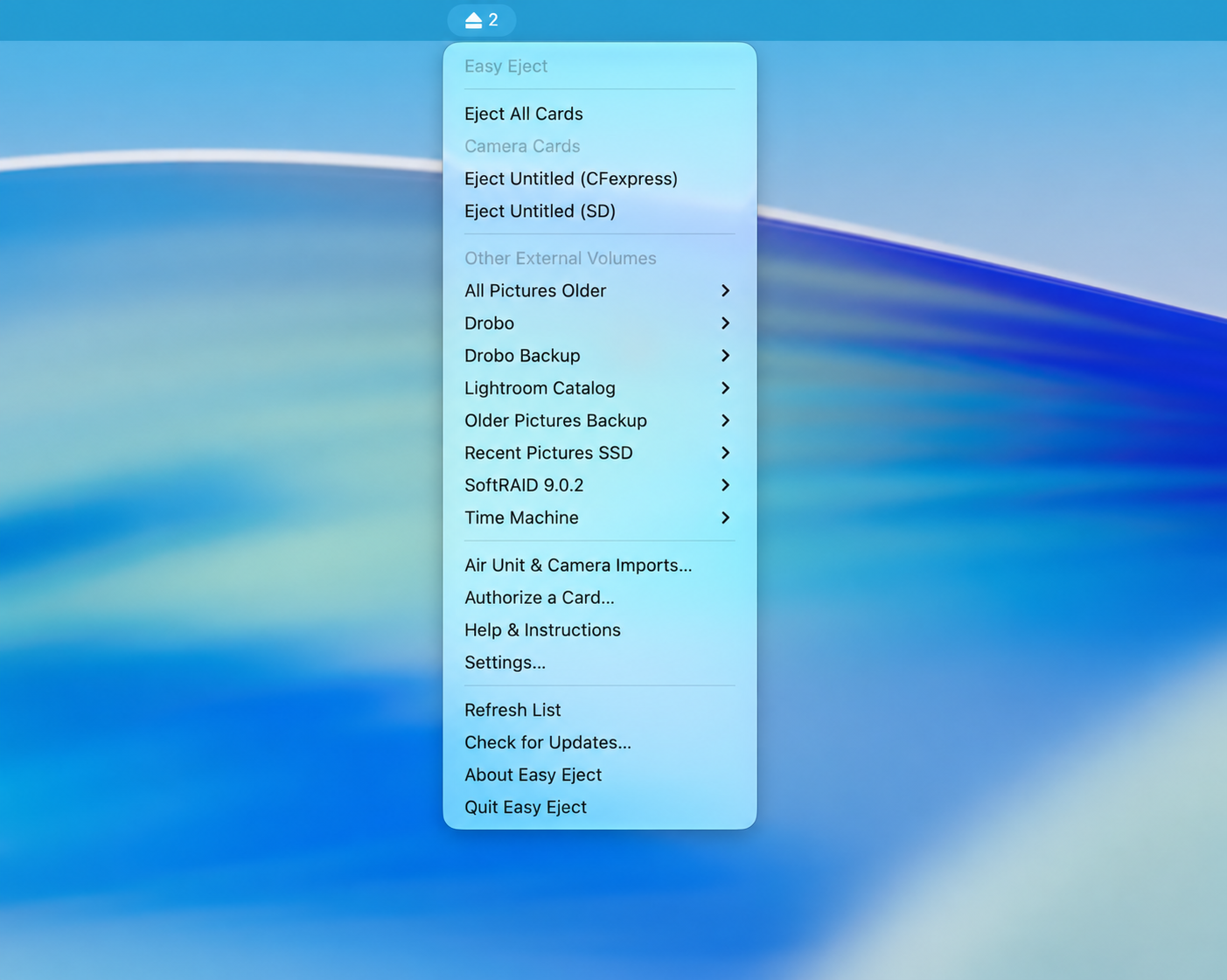
A CFexpress reader may present a card as an external drive. Lightroom or another photo app may finish importing but not offer its usual memory-card eject control. Easy Eject lists connected storage in its menu so you can eject the card from one place.
Some readers identify their hardware as CFexpress, SD, or XQD. Others use generic PCI/NVMe or USB descriptions. In those cases, Easy Eject may look for common camera folders, such as DCIM, before grouping a volume as a camera card. In the App Store version, folder inspection requires permission for the whole card. If a card remains in Other External Volumes, you can still choose Eject there.
Cards with the same name
Cameras often call every card Untitled. macOS may mount another one as Untitled 2. The menu can show hardware type, such as Untitled (CFexpress) or Untitled (SD). Do not rely on the name alone before ejection. An optional import profile identifies a filesystem volume by its ID, not its Finder name or a DJI folder. If a card is formatted in camera, set up its import profile again; the filesystem ID may have changed.
Eject one card or all cards
Choose an individual camera or emulator card for the usual one-click action. Eject All Cards acts on recognized card disks, not on every external volume. A disk with multiple partitions is ejected as a whole. The bulk action refuses a disk it cannot identify safely or one that shares an active import operation.
Ordinary SSDs and other drives appear in Other External Volumes with Eject and Clean & Eject choices. By default, Easy Eject asks for confirmation before ejecting an unrecognized drive. You can change that in Settings, but verify the disk and its other partitions first.
When ejection does not finish
Close Lightroom, Finder windows and other apps using the volume. Finish transfers and retry. Easy Eject does not force an unmount. Its active import source and destination are protected from normal ejection. See Troubleshooting for the issue indicator and recovery steps.